Put your spare machines to work.
MirbadLLM runs small and medium AI models on the old gaming PC, the laptop and the Mac you already own, and manages all of them from one place behind one OpenAI-compatible endpoint.
Linux · Windows 11 · macOS (Apple Silicon) — vLLM · llama.cpp · MLX
Works with what you have
The memory on the GPU, or the unified memory on a Mac, decides how large a model a machine can serve. Rules of thumb for 4-bit models:
Old gaming PC
NVIDIA card with 8 GB
7B–8BWindows 11 · llama.cppGaming PC, newer card
NVIDIA card with 12–16 GB
~14BWindows 11 · llama.cppLinux box
NVIDIA card with 24 GB
~32BLinux · vLLM in DockerMac or MacBook
Apple Silicon, 16–32 GB or more
7B–32BmacOS · llama.cpp or MLXDGX Spark
128 GB unified memory
largeLinux · vLLM in DockerNot yet: AMD GPUs and machines without a GPU. Context length, quantization and parallel requests move these numbers; the agent checks the real fit before every start.
Every machine becomes its own small project.
Each one needs its own runtime, its own flags and its own port, and none of them knows the others exist. You end up looking after five small projects instead of using one tool.
llama-server --port 8081 -ngl 99 …Error: address already in usemlx_lm.server --port 8080 …Everyone at once.
A model server with one slot makes every request wait its turn. Three coding agents in VS Code, a teammate's script and a chat at home all end up in the same queue. MirbadLLM spreads your models across your machines, and models on vLLM serve many requests at the same time, so nobody waits for anybody else.
Parallel agents in VS Code
Run several Cline, Roo Code or Continue agents side by side. Each request goes to the machine that serves its model, and none of them queues behind the others.
A small team, or the whole family
Give each person and each tool its own API key. Everyone uses the same address at the same time, and the Overview shows which machine is busy and why.
The right model for each job
Better results come from not squeezing everything onto one box: a larger coding model on the gaming PC, a quick chat model on the Mac, embeddings on the old laptop.
Measured, not promised. The benchmark runs each model at 1, 16 and its maximum number of parallel requests, on its own hardware, so you see how it holds up when everyone is on it.
Three steps per machine
- 1
Install the agent
Copy the one-line command from Nodes › Add node and run it on the PC, the laptop or the Mac. It installs a small service.
- 2
Approve it in the browser
Compare the machine's key fingerprint and approve it. From then on the master talks to it over mutual TLS.
- 3
Pick a model
Choose one from Hugging Face. MirbadLLM checks that it fits in that machine's memory before it starts, and tells you why when it does not.
One address for every model on every machine.
Coding agents, chat apps and scripts keep one base URL and pick a model by name. They never need to know which machine answered. Streaming, chat completions, completions and embeddings all pass through.
The Connect page has ready-to-paste settings for common clients, including a VS Code configuration export.
from openai import OpenAI

client = OpenAI(
    base_url="http://mirbad.local:8080/v1",
    api_key="<your MirbadLLM API key>",
)
reply = client.chat.completions.create(
    model="qwen3-8b",  # served by the gaming PC
    messages=[{"role": "user", "content": "Hello"}],
)
Everything a small fleet needs
All featuresMemory checked before a start
Every model has a memory budget. A start that would not fit is refused, per GPU, with the reason.
A live Overview
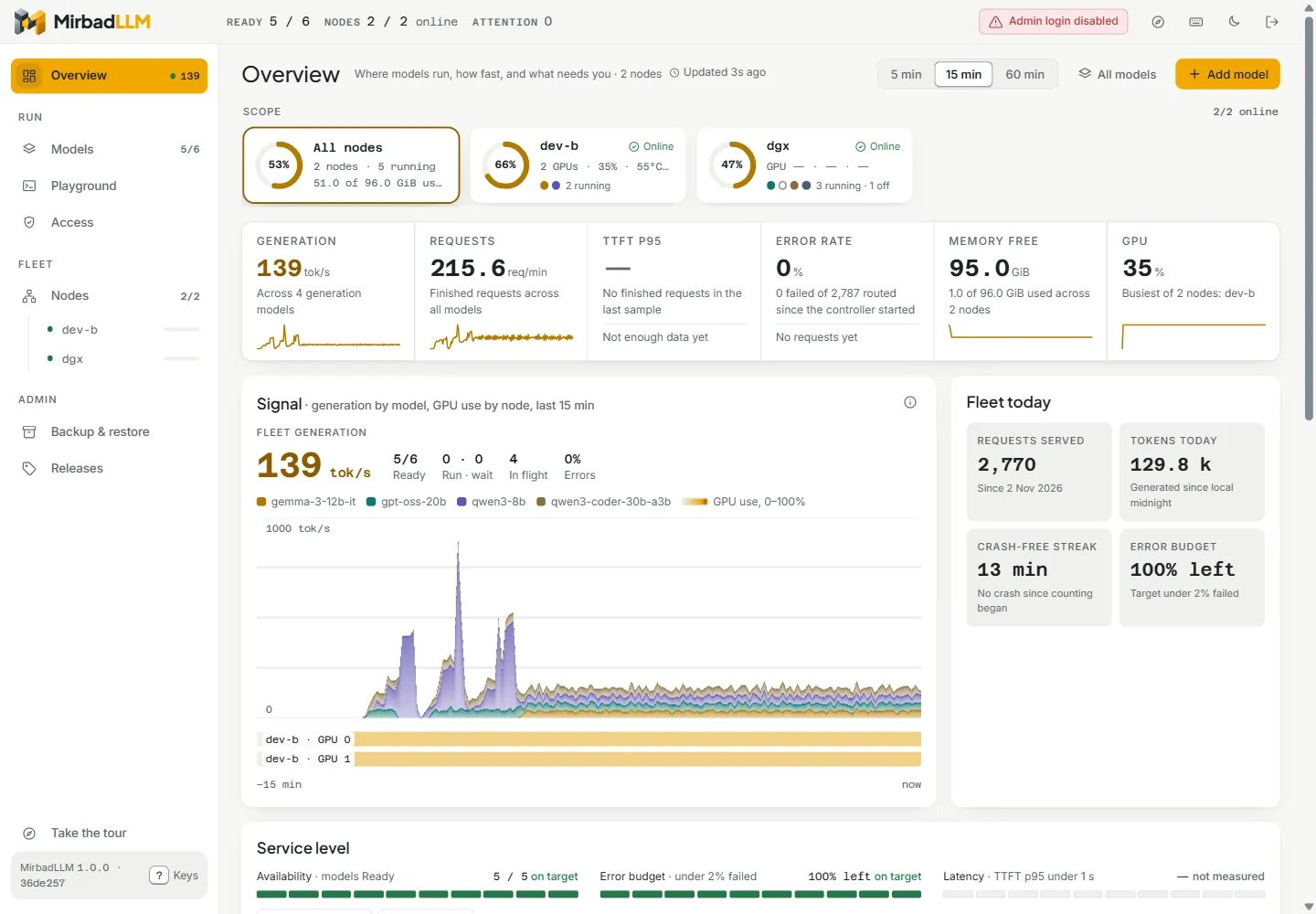
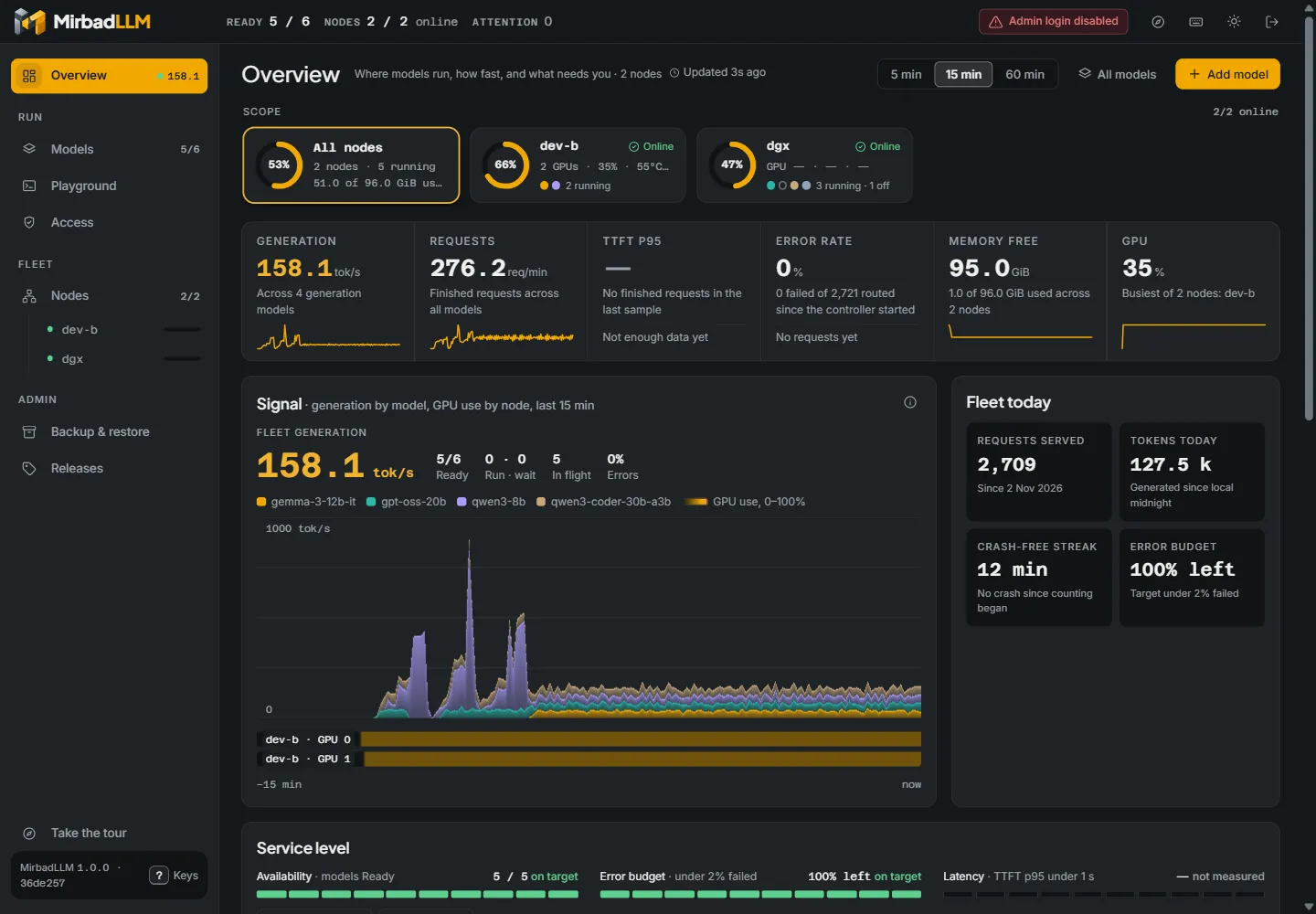
What runs where, how fast each model generates, and how much memory each machine has left.
Benchmark and tune
Workload presets measure a model; the tuner tries vLLM settings and names a winner. Nothing changes until you press Apply.
API keys for people and tools
Keys for the endpoint and for metrics, an admin login for the UI, and ready-made client settings.
Backups on a schedule
Models, settings, keys and history, to a folder or a network share, with a restore that previews every change.
Models come back on their own
After a restart, models that were running start again, one at a time. A model you stopped stays stopped.
The 100-second tour
Why it exists, how to add a machine and a model, and what you see once they run. Captions on, so it works with the sound off.

Try it on your laptop first.
A demo fleet with simulated models runs on one machine, no GPU needed. Then move to your real machines.
$ git clone https://github.com/samykabu/MirbadLLM.git
$ cd MirbadLLM
$ tools/dev-multinode/start.sh --reset
# open http://127.0.0.1:5080/