Everything a small fleet of your own machines needs.
MirbadLLM is a control plane for a handful of machines you own. Here is what it does, shown on the real UI.
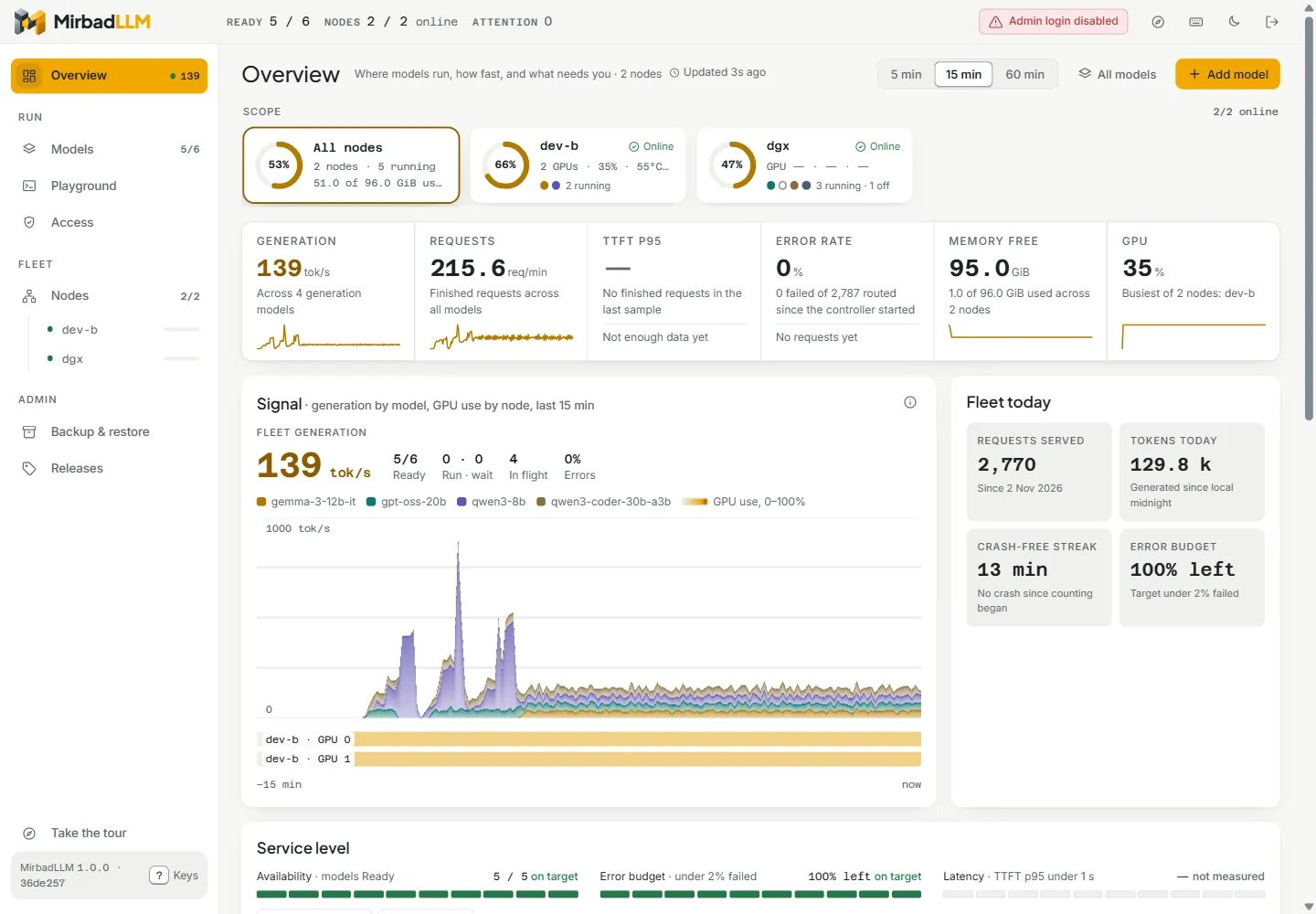
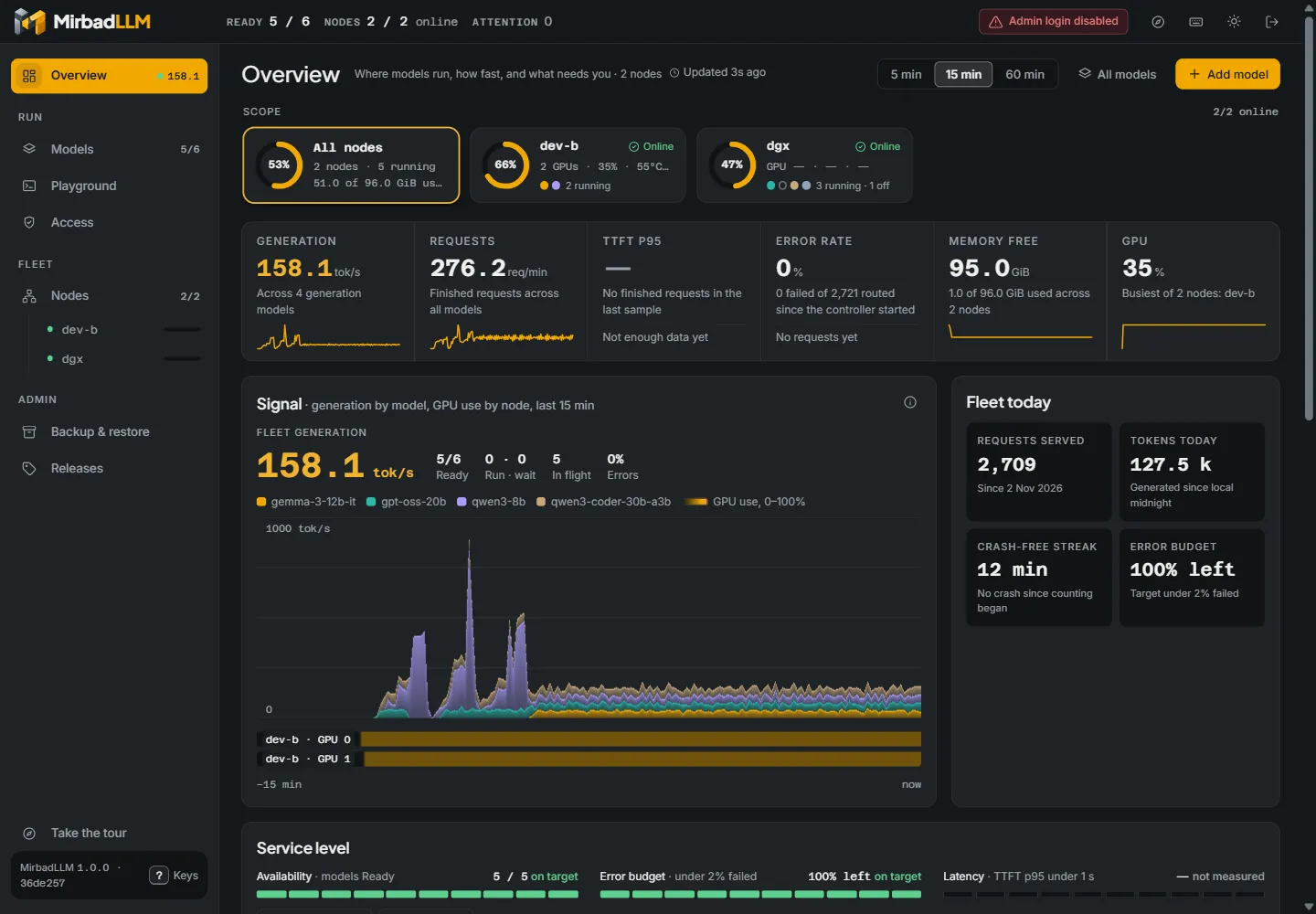
A live Overview of every machine
One page shows what runs where, how fast each model generates, the GPU use on each machine and the memory it has left. Fleet counters, service levels and per-node headroom sit beside a live chart of generation per model.
Models from Hugging Face, checked before they start
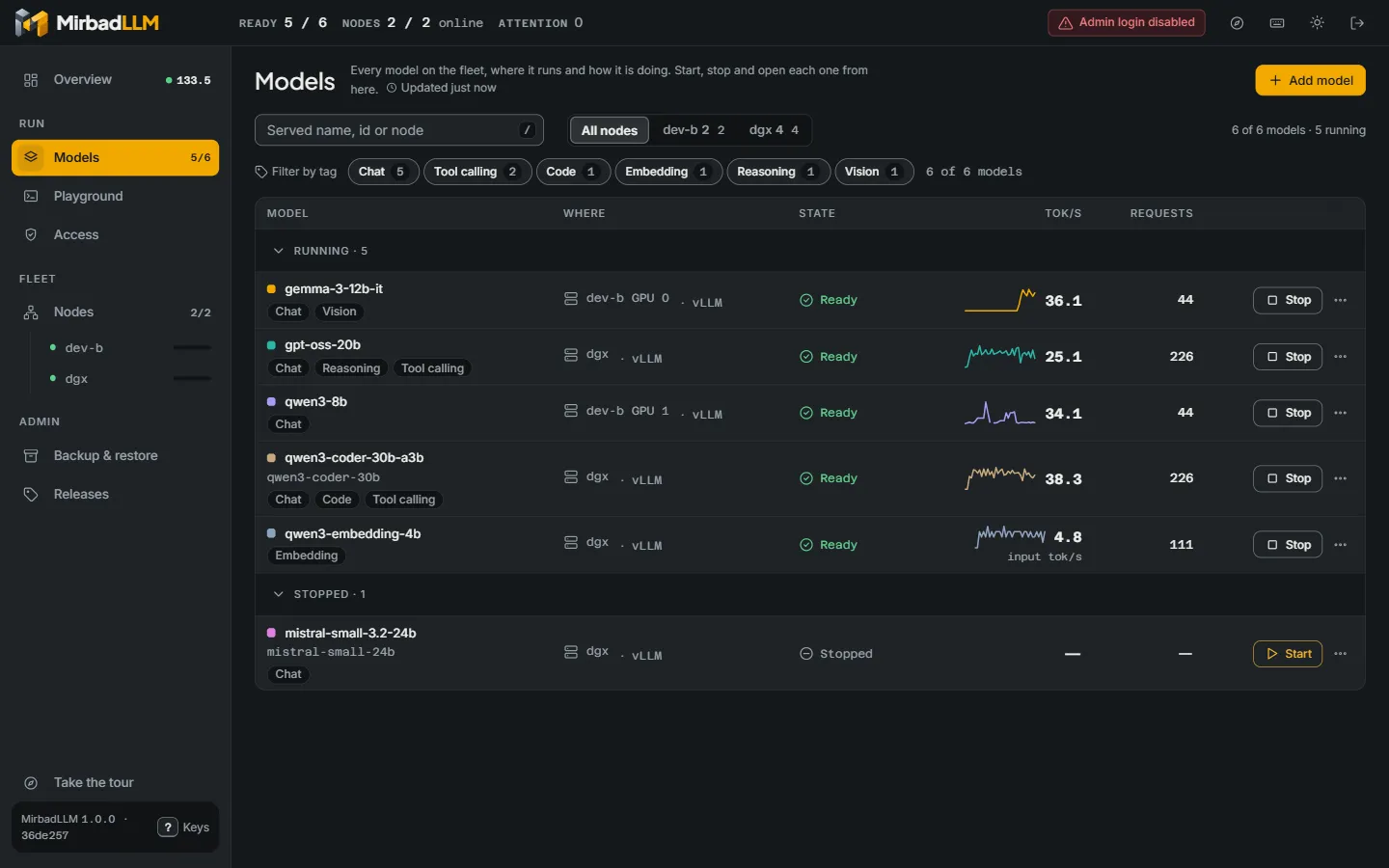
Download a repository or pick a single GGUF file. The agent downloads on its own machine, reads the GGUF header and estimates the memory the model needs. Every model has a memory budget, and a start that would not fit, per GPU on machines with several cards, is refused with the reason.
Benchmark and tune on your own hardware
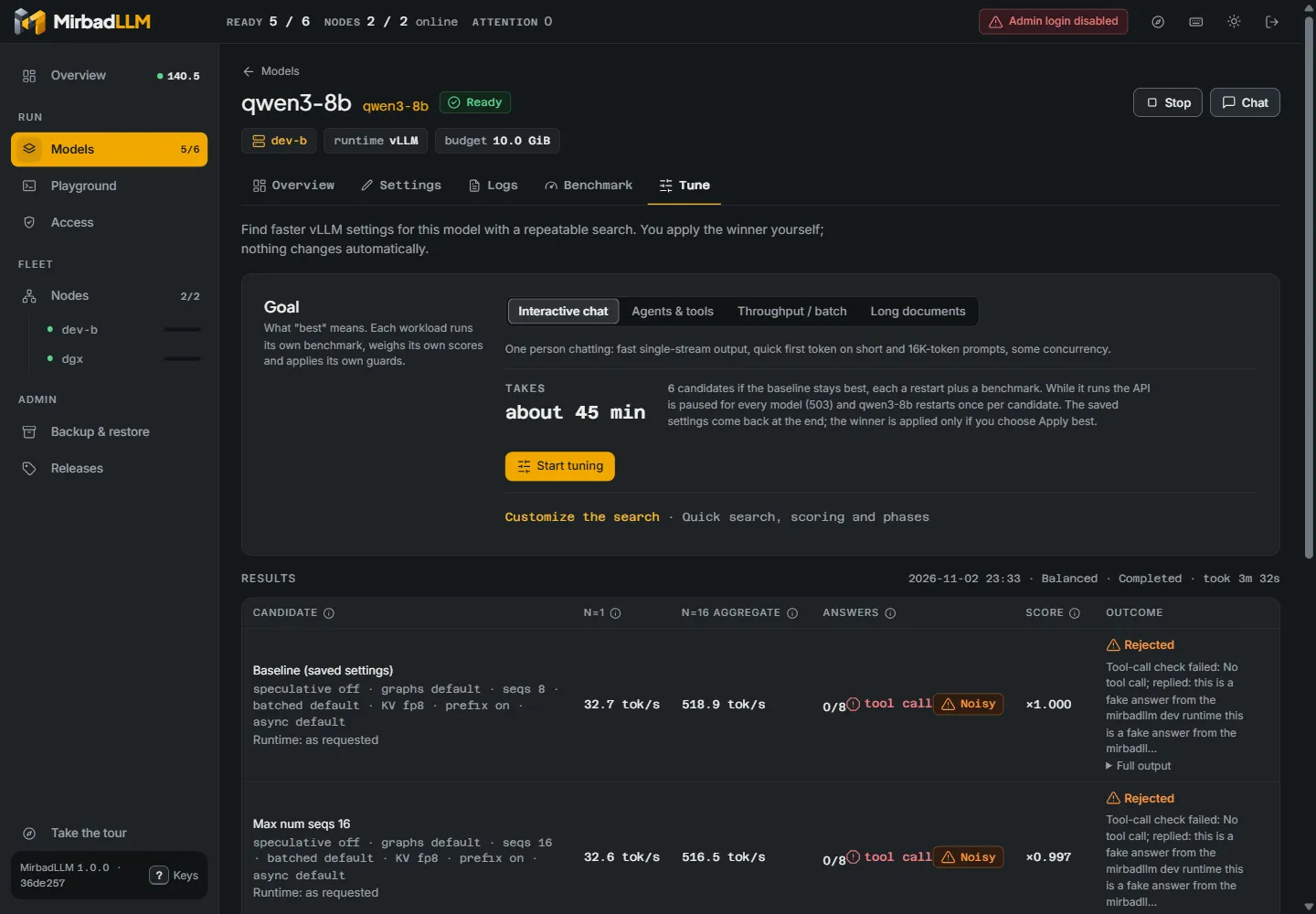
Workload presets (interactive chat, agents and tools, throughput, long documents, embeddings) measure a running model at 1, 16 and its maximum number of parallel requests. The tuner searches vLLM settings phase by phase and re-measures the leaders before it names a winner. Nothing changes until you press Apply.
Access for people and tools
An admin login for the UI and the admin API, API keys for the endpoint and for metrics, saved Hugging Face tokens that are never shown again, and a Connect page with ready-to-paste settings for common clients, including a VS Code configuration export.
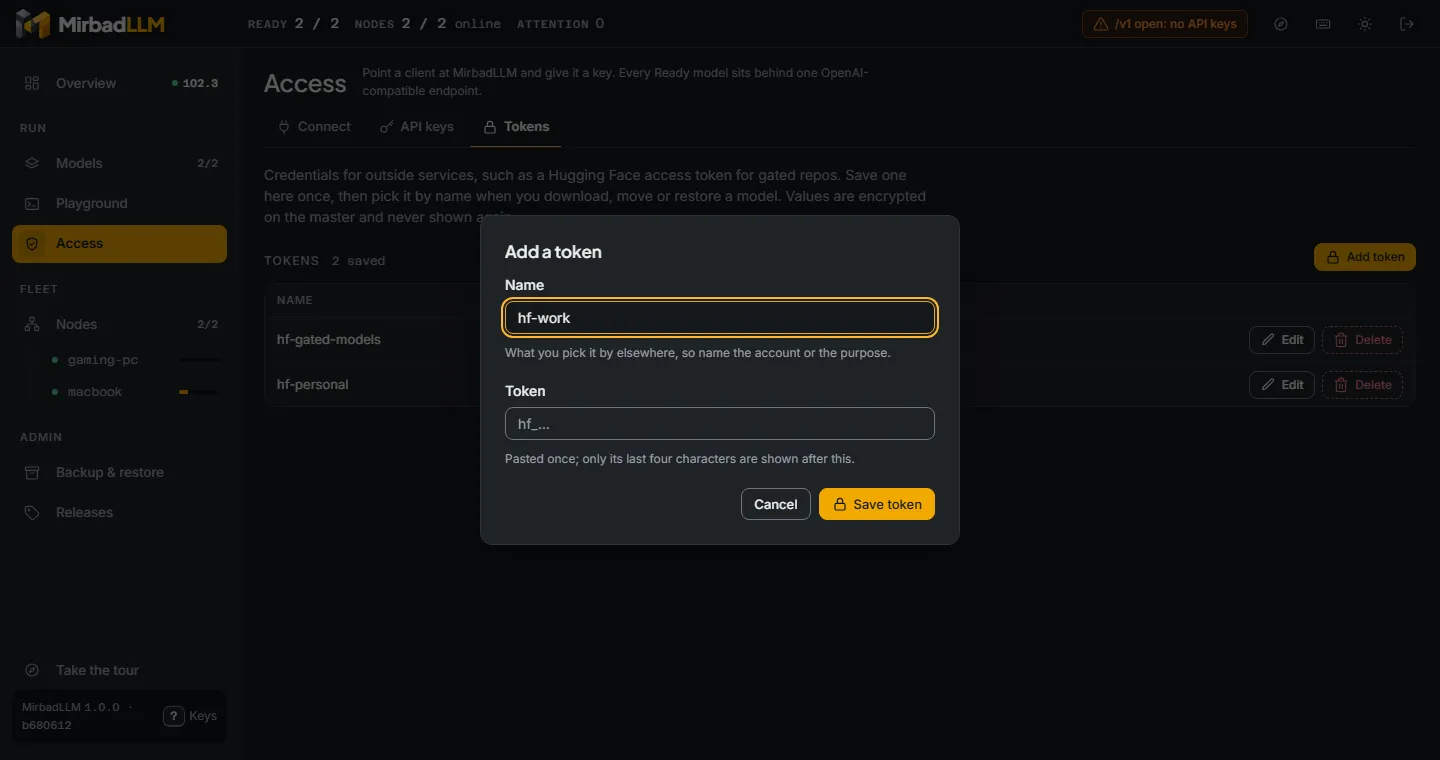
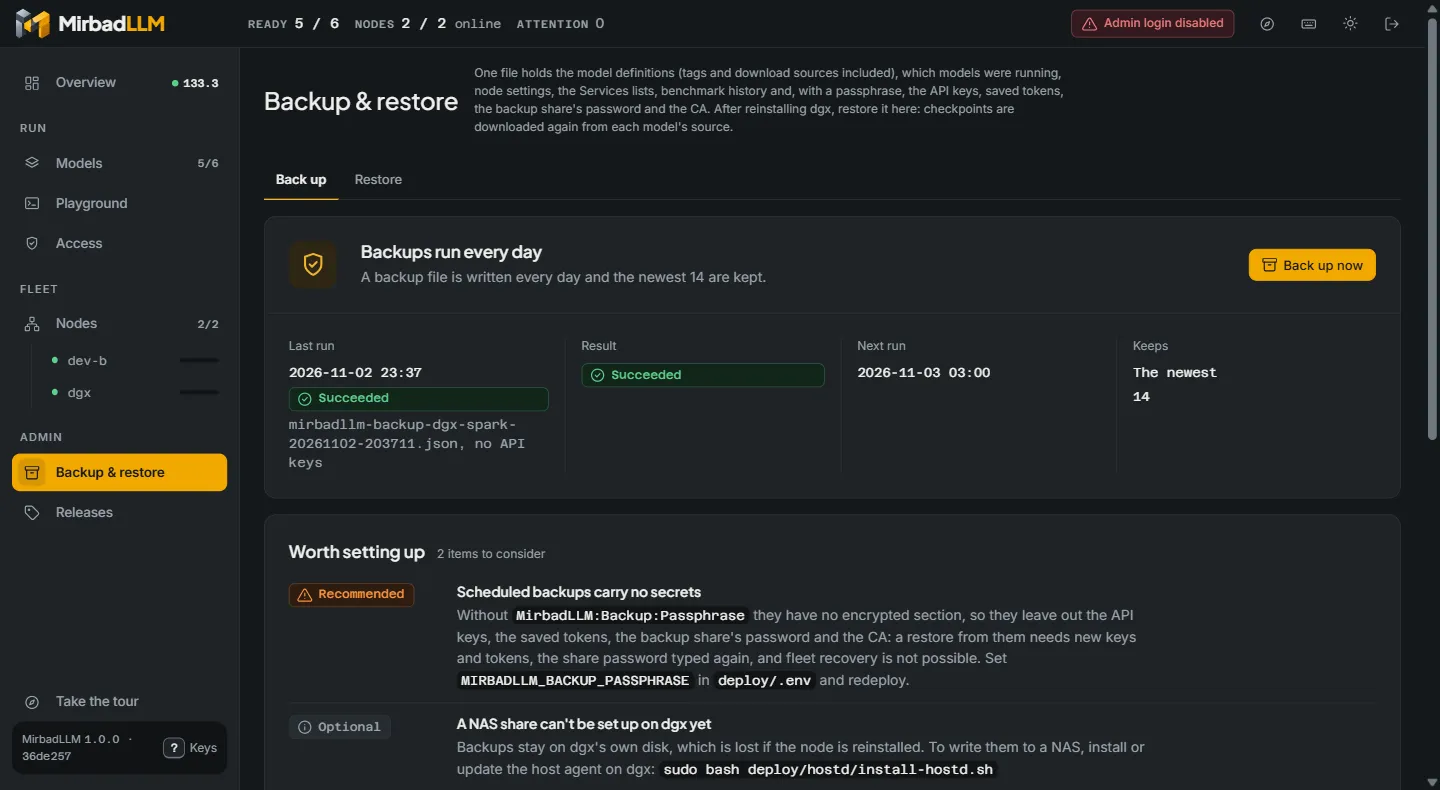
Back up and restore everything
Model definitions, running models, node settings, managed host services, history, API keys and saved tokens (encrypted with your passphrase), on a schedule to a local folder or an SMB or NFS share. A restore previews every change and downloads missing models again.
Fleet operations
Join a machine with a one-line command and approve it by key fingerprint. Drain, rekey, revoke and rotate certificates, and push signed agent updates from the master. The master reaches every agent over mutual TLS and never touches a GPU or a model file itself.
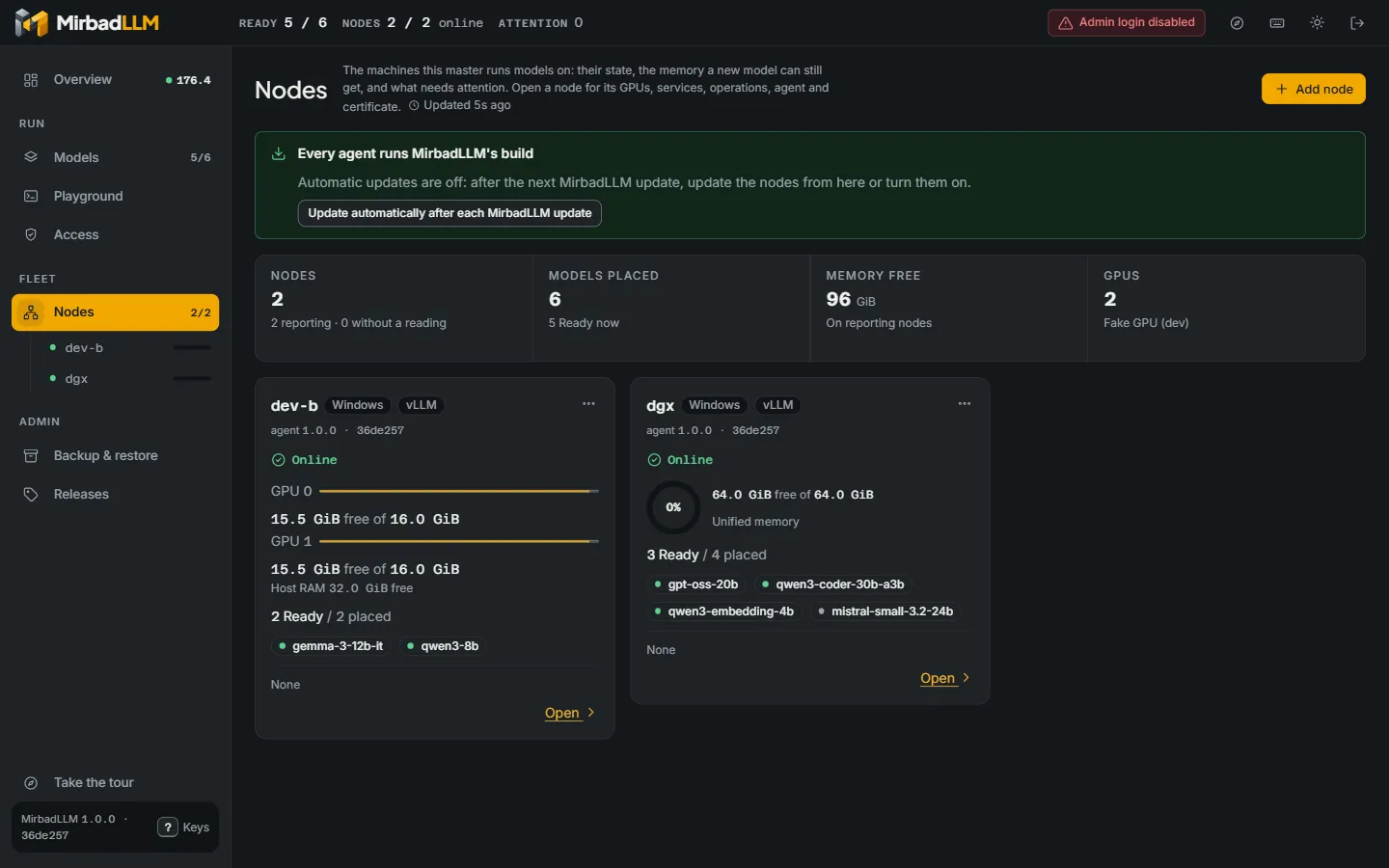
Screens from a demo fleet with simulated models and traffic.
And the parts you only notice when they are missing
One OpenAI-compatible endpoint
/v1/models lists every model on every machine. Chat completions, completions and embeddings, streaming included, go to the machine that serves the model named in the request.
Three runtimes, three operating systems
vLLM in Docker on Linux, llama.cpp as a native process on Windows and macOS (Metal), and MLX on Apple Silicon.
Recovery that respects you
Models that were running come back after a machine or the master restarts, one at a time per machine. A model you stopped stays stopped.
Placement and moves
Each model is placed on a machine, and on specific GPUs, and can be moved between machines. Models start one at a time per machine.
Host services
An optional helper lists and manages approved services next to the models, such as ComfyUI, Ollama or LM Studio, behind a built-in deny list.
Metrics and accessibility
Prometheus metrics at /metrics, and light and dark themes built to WCAG 2.2 AA.